Find every duplicate. Clean up safely.
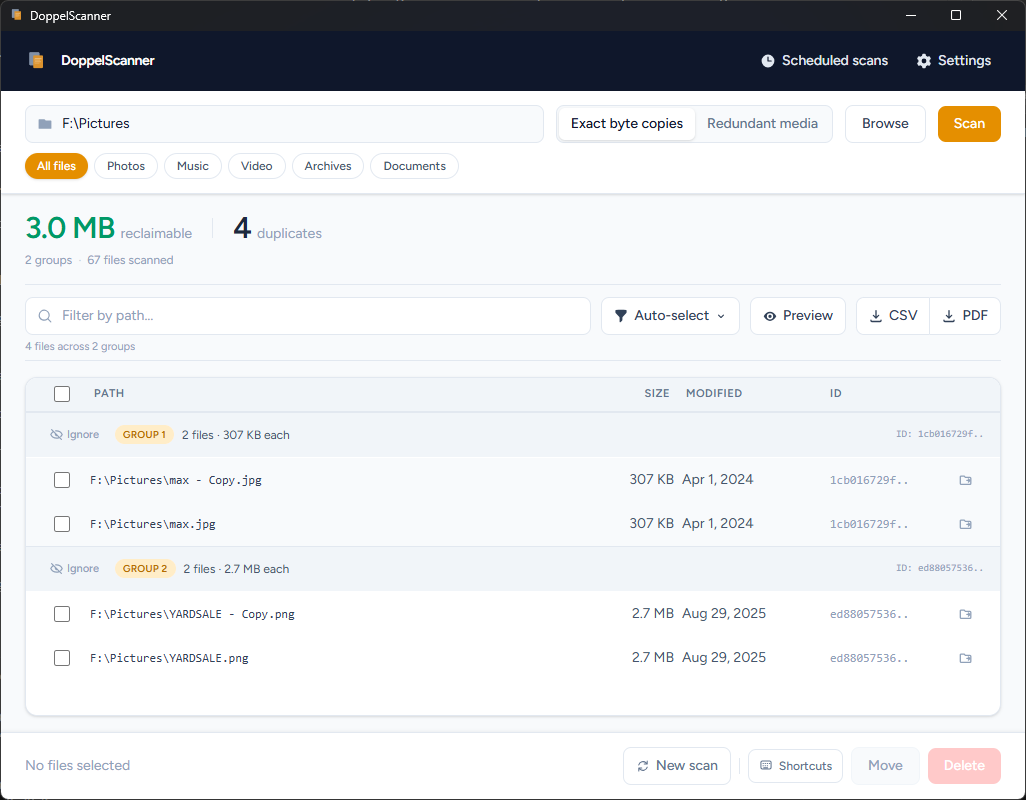
DoppelScanner scans at near-disk speed, identifies exact copies by SHA256 hash (not just name or size), and lets you review every match before touching anything. Fully offline. No subscription. No telemetry.
Requires Windows 10 build 1809+ or Windows 11
How it works
Scans smarter
than it hashes
Most duplicate finders hash every file on your drive. DoppelScanner's 4-stage funnel eliminates up to 99% of reads before touching expensive I/O.
Walk & collect
All files on diskParallel recursive traversal collects every file's path, size, and modification time.
Group by size
80–95% eliminatedFiles with unique sizes can't have duplicates. Only same-size groups advance.
Partial hash (4 KB)
50–80% more eliminatedHash just the first 4 KB with xxHash. Different headers mean different files.
Full SHA256
100% accurateFull content hash confirms exact byte-for-byte duplicates. No false positives.
Features
Everything you need to clean up storage
Byte-exact matching
SHA256 hashing confirms files are identical down to the last bit. Name, location, and modification date don't matter, only content does.
Media fingerprinting
Finds duplicate photos by EXIF data (camera, timestamp, GPS), audio files by ID3 tags, and video by container metadata, even when files have been renamed or re-exported.
Scheduled scans
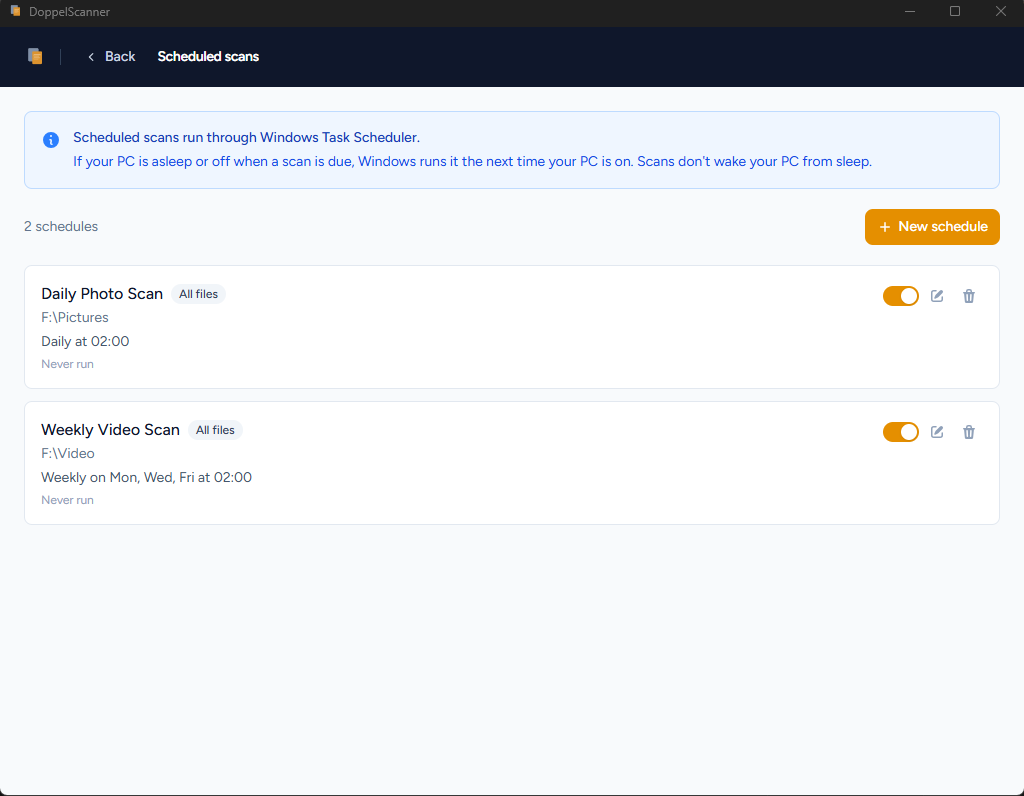
Set DoppelScanner to run daily, weekly, or monthly. Results are ready when you need them.
Safe deletion
Files go to the Recycle Bin by default. One-click undo restores everything if you change your mind.
Resume interrupted scans
Cancel mid-scan and pick up where you left off. Hash cache persists across restarts for local and network drives.
Export to CSV and PDF
Export the full results for auditing, ticketing, or handoff to another team.
Scheduled scans
Set it once.
Come back to results.
Schedule DoppelScanner to run on any combination of days and times. It runs quietly in the background, and your results are ready the moment you open the app. No manual triggering, no forgotten drives.
- Daily, weekly, or custom day selection
- Runs silently while you work or sleep
- Picks up where it left off if interrupted
- Notifications when results are ready
Pricing
One tool. One price.
FAQ